12 Types of IT Servers Every Network Depends On (And What They Actually Do)
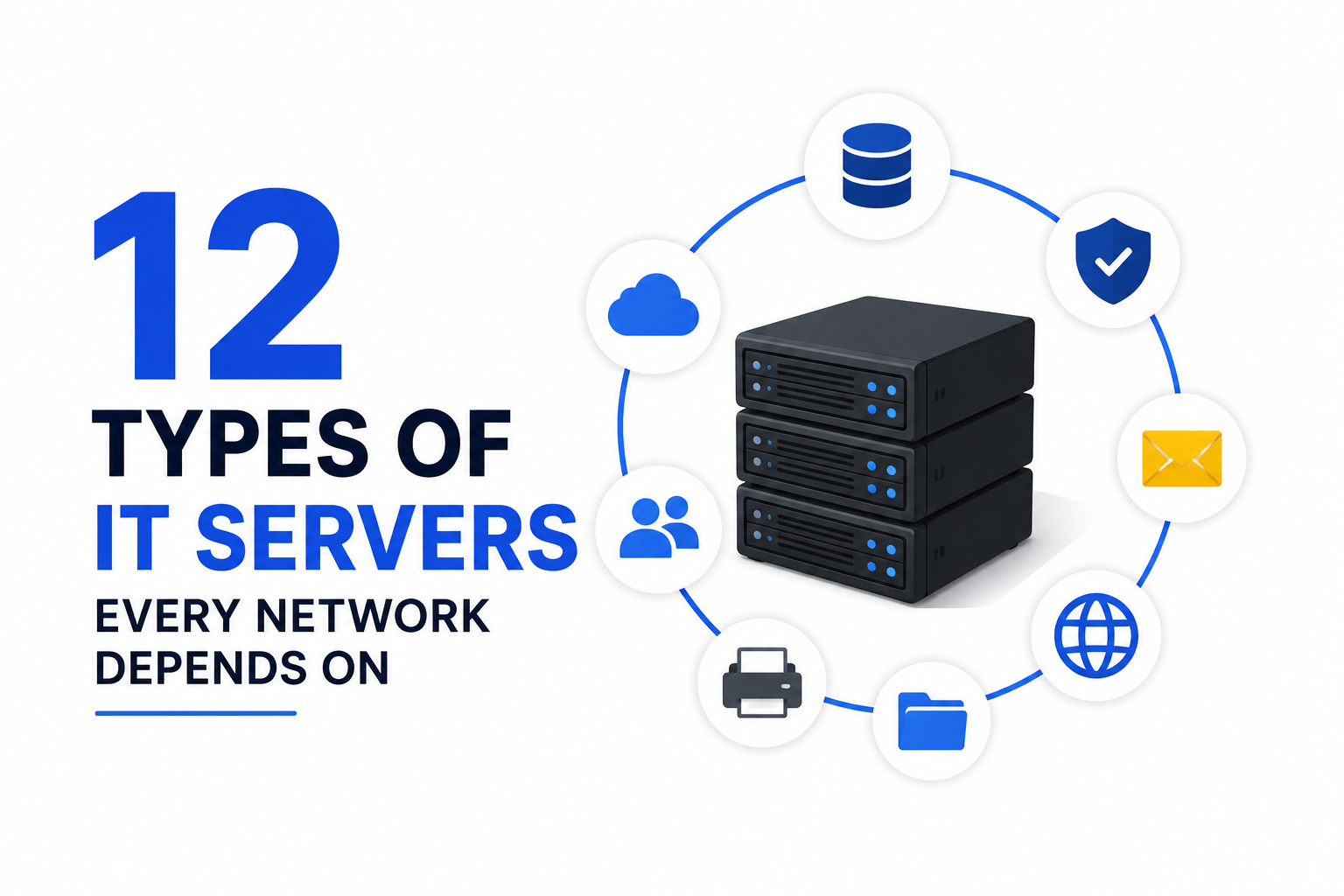
Every time you open a website, send an email, or print a file at the office, a server handles the request behind the scenes. Most people never think about this hidden layer of infrastructure. Yet a single misconfigured server can take down an entire company network. This guide breaks down the 12 core server types that keep modern IT systems running, explains what each one does in plain language, and shows real configuration examples you can use.
Quick answer: An IT server is a dedicated computer (physical or virtual) that provides a specific service to other computers on a network. The 12 main types are Web, Application, Database, File, DNS, Mail, Proxy, Directory, DHCP, Backup, Virtualization, and NTP servers — and together they cover hosting, data storage, identity management, networking, and disaster recovery.
Table of Contents
- What Is a Server, Exactly?
- Web Server
- Application Server
- Database Server
- File Server
- DNS Server
- Mail Server
- Proxy Server
- Directory Server
- DHCP Server
- Backup Server
- Virtualization Server
- NTP Server
- Server Types Comparison Table
- How to Choose the Right Server for Your Business
- Server Security Basics You Shouldn’t Skip
- Conclusion
- FAQ
Suggested image — Title: “Modern data center server racks”; Alt: “Rows of IT servers in a data center rack”
What Is a Server, Exactly?
A server is a computer that listens for requests and responds with data, files, or a service. Your laptop asks; the server answers. This client-server model powers almost everything online: browsing, banking, gaming, and enterprise software.
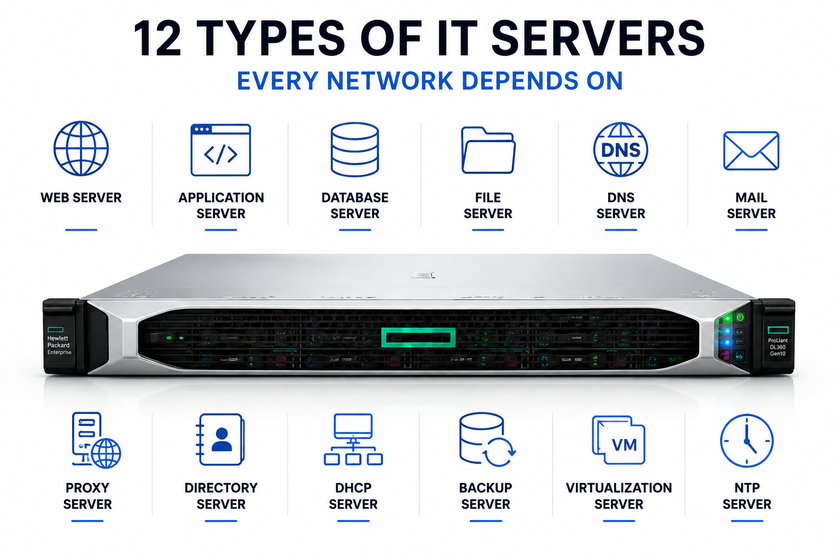
1. Web Server
A web server stores website files (HTML, CSS, JavaScript, images) and delivers them to a visitor’s browser whenever they type a URL or click a link. Popular web server software includes Apache, Nginx, and Microsoft IIS. Nginx now handles a large share of the world’s top websites because it manages many simultaneous connections with low memory use.
Here’s a minimal Nginx site block that serves a static site:
server {
    listen 80;
    server_name geantechnology.com www.geantechnology.com;
    root /var/www/geantechnology;
    index index.html;

    location / {
        try_files $uri $uri/ =404;
    }
}
Web servers don’t process business logic on their own — that job belongs to the application server, covered next.
2. Application Server
An application server runs the backend logic of a program: calculations, business rules, and the code that connects a website’s front end to its database. Think of it as the engine room. Common examples are Node.js runtimes, Apache Tomcat, and PHP-FPM pools.
A simple way to picture the split: the web server hands the request to the app server, the app server does the thinking, and the database server supplies the data. On a small WordPress site, PHP-FPM often plays this role, processing PHP code before Nginx sends the final HTML to the visitor.
3. Database Server
A database server stores structured data — user accounts, product catalogs, orders, comments — and answers queries from applications. MySQL, MariaDB, PostgreSQL, and Microsoft SQL Server are the names you’ll hear most often in this space.
A quick example of creating a database and a table with MariaDB:
CREATE DATABASE gean_shop;
USE gean_shop;

CREATE TABLE customers (
    id INT AUTO_INCREMENT PRIMARY KEY,
    full_name VARCHAR(120) NOT NULL,
    email VARCHAR(150) UNIQUE NOT NULL,
    created_at TIMESTAMP DEFAULT CURRENT_TIMESTAMP
);
Database servers need regular backups and tuned indexes, or performance drops sharply as data grows. We cover backups in section 10.
4. File Server
A file server stores documents, spreadsheets, and media so employees can access, edit, and share them from one central location instead of emailing files around. Windows Server (SMB/CIFS shares) and Linux Samba are the two most common choices for office networks.
A basic Samba share definition on Linux looks like this:
[shared-docs]
   path = /srv/samba/shared-docs
   browsable = yes
   writable = yes
   guest ok = no
   valid users = @staff
File servers pair naturally with a backup server and, in larger companies, with a directory server that controls who can open which folder. <!– unsplash-search:network-cables-server-rack –>
5. DNS Server
A DNS (Domain Name System) server translates human-friendly names like geantechnology.com into IP addresses that computers use to find each other. Without DNS, you’d need to memorize a string of numbers for every website you visit.
Example of a simple BIND zone file entry:
$TTL 3600
@   IN  SOA ns1.geantechnology.com. admin.geantechnology.com. (
        2026082301 ; serial
        3600       ; refresh
        1800       ; retry
        604800     ; expire
        86400 )    ; minimum TTL

    IN  NS  ns1.geantechnology.com.
www IN  A   203.0.113.10
mail IN A   203.0.113.11
Company networks often run an internal DNS server alongside a public one, so internal hostnames resolve quickly without leaving the local network.
6. Mail Server
A mail server sends, receives, and stores email. It usually combines two protocols: SMTP for sending mail and IMAP or POP3 for retrieving it. Postfix and Exim are widely used open-source SMTP servers on Linux; Microsoft Exchange dominates the Windows side.
A short Postfix configuration snippet to accept mail for a domain:
# /etc/postfix/main.cf
myhostname = mail.geantechnology.com
mydomain = geantechnology.com
myorigin = $mydomain
mydestination = $myhostname, localhost.$mydomain, $mydomain
inet_interfaces = all
Because mail servers are a favorite target for spam and phishing, admins should always enable SPF, DKIM, and DMARC records to protect the domain’s reputation.
7. Proxy Server
A proxy server sits between clients and the internet (or between the internet and internal servers) and relays traffic on their behalf. A forward proxy hides internal users from the outside world and can filter content; a reverse proxy sits in front of backend servers, balances load, and hides their real addresses.
Here’s a simple Nginx reverse proxy that forwards traffic to an internal app server:
server {
    listen 443 ssl;
    server_name app.geantechnology.com;

    location / {
        proxy_pass http://10.0.0.20:8080;
        proxy_set_header Host $host;
        proxy_set_header X-Real-IP $remote_addr;
    }
}
Proxies also cache frequently requested content, which reduces load on backend servers and speeds up response times for users.
8. Directory Server
A directory server manages identities: usernames, passwords, group memberships, and permissions across an organization. Microsoft Active Directory and open-source OpenLDAP are the two most common implementations. When an employee logs into their laptop, email, and VPN with one password, a directory server is doing the authentication work behind the scenes.
Centralizing identity this way saves IT teams from managing separate accounts on every single system — one disabled account instantly locks a departing employee out of everything.
9. DHCP Server
A DHCP (Dynamic Host Configuration Protocol) server automatically assigns IP addresses, subnet masks, gateways, and DNS servers to devices as they join the network. Without DHCP, an admin would need to configure every laptop and phone manually.
A basic ISC DHCP server configuration for a small office subnet:
subnet 192.168.1.0 netmask 255.255.255.0 {
    range 192.168.1.100 192.168.1.200;
    option routers 192.168.1.1;
    option domain-name-servers 192.168.1.10, 8.8.8.8;
    default-lease-time 86400;
    max-lease-time 172800;
}
Larger networks often split DHCP across multiple servers for redundancy, so a single failure doesn’t strand new devices without an IP address.
10. Backup Server
A backup server copies data from other servers on a schedule and stores it somewhere safe, so the company can recover from hardware failure, ransomware, or human error. Backup strategy usually follows the 3-2-1 rule: three copies of data, on two different media types, with one copy stored off-site.
A simple example using rsync and cron to back up a file server nightly:
# /etc/cron.d/nightly-backup
0 2 * * * root rsync -a --delete /srv/samba/shared-docs/ /mnt/backup-drive/shared-docs/
For virtual machines and containers, dedicated tools such as Proxmox Backup Server or Veeam handle deduplication and incremental snapshots far more efficiently than a simple script.
11. Virtualization Server
A virtualization server (hypervisor host) runs multiple virtual machines on one physical machine, letting a business run several operating systems and services on hardware that would otherwise sit half-idle. Proxmox VE, VMware ESXi, and Microsoft Hyper-V are the leading platforms. Proxmox VE 9.2, released in May 2026, added a dynamic load balancer that automatically rebalances virtual machines across cluster nodes based on real-time resource usage — a feature that used to require third-party tools.
Creating a new VM from the Proxmox command line:
qm create 105 --name web-vm --memory 4096 --cores 2 \
  --net0 virtio,bridge=vmbr0 --scsihw virtio-scsi-pci
qm importdisk 105 debian-13.qcow2 local-lvm
qm start 105
Virtualization cuts hardware costs, simplifies backups (a whole VM can be snapshotted in seconds), and makes disaster recovery far faster than restoring a physical machine from scratch.
12. NTP Server
An NTP (Network Time Protocol) server keeps every device on a network synchronized to the same clock, down to milliseconds. This sounds minor, but time drift breaks authentication tokens, corrupts log timelines, and causes certificate errors. Chrony has replaced the older ntpd daemon on most modern Linux distributions because it syncs faster and handles unstable connections better.
A short chrony configuration pointing to a pool of public time servers:
# /etc/chrony/chrony.conf
pool pool.ntp.org iburst
makestep 1.0 3
rtcsync
Every domain controller, firewall, and security log depends on accurate time — it’s one of the most overlooked services on a network.
Server Types Comparison Table
| Server Type | Primary Function | Common Software | Typical Port |
|---|---|---|---|
| Web | Hosts websites and web apps | Nginx, Apache, IIS | 80, 443 |
| Application | Runs backend business logic | Tomcat, Node.js, PHP-FPM | 8080, 9000 |
| Database | Stores and queries structured data | MySQL, PostgreSQL, MSSQL | 3306, 5432 |
| File | Stores and shares files | Windows Server, Samba | 445 |
| DNS | Resolves domain names to IPs | BIND, PowerDNS | 53 |
| Sends and stores email | Postfix, Exchange | 25, 587, 993 | |
| Proxy | Relays and filters traffic | Nginx, Squid, HAProxy | 8080, 3128 |
| Directory | Manages identities and access | Active Directory, OpenLDAP | 389, 636 |
| DHCP | Assigns IP settings automatically | ISC DHCP, Windows DHCP | 67, 68 |
| Backup | Coordinates backup and recovery | Proxmox Backup Server, Veeam | 8007 |
| Virtualization | Hosts multiple virtual machines | Proxmox VE, VMware ESXi | 8006 |
| NTP | Synchronizes system clocks | chrony, ntpd | 123 |
How to Choose the Right Server for Your Business
Most businesses never buy a dedicated “web server” and a dedicated “DNS server” separately — they consolidate roles onto virtual machines running on one or two physical hosts. Start by listing what your business actually needs: a website, shared files, email, and centralized logins are the four services almost every small company needs first.
From there, size your hardware around your busiest workload, not your average one. A file server for 20 people needs far less power than a database server running constant queries. When in doubt, virtualize — it’s easier to add a new VM for a new service than to buy new hardware every time.
Server Security Basics You Shouldn’t Skip
Every server type above becomes a target the moment it’s reachable from the internet. Apply these basics regardless of which server you’re running:
- Close every port you don’t actively use.
- Keep operating systems and services patched on a schedule, not “eventually.”
- Use SSH keys instead of passwords for remote administration.
- Separate public-facing servers (web, mail) from internal-only servers (database, directory) with a firewall or VLAN.
- Log everything, and make sure your NTP server keeps those logs accurately timestamped.
Cybersecurity isn’t a single product — it’s the sum of small habits applied consistently across every server on the network.
Conclusion
The 12 server types covered here — Web, Application, Database, File, DNS, Mail, Proxy, Directory, DHCP, Backup, Virtualization, and NTP — form the backbone of nearly every IT environment, from a five-person office to a global data center. Understanding what each one does, and how they depend on one another, makes it much easier to design a reliable network, troubleshoot outages faster, and talk confidently with IT vendors or consultants. Whether you’re studying for a networking certification or planning infrastructure for your own business, these fundamentals don’t change even as the tools around them evolve.
FAQ
What is the most important type of server for a small business? A file server combined with a directory server usually delivers the biggest immediate benefit, since it centralizes both data storage and user logins.
Can one physical machine run several server types at once? Yes. Through virtualization platforms like Proxmox VE or VMware ESXi, a single physical host can run separate virtual machines for web, database, and mail services simultaneously.
What’s the difference between a web server and an application server? A web server delivers static files and forwards dynamic requests; an application server executes the backend code and business logic behind those requests.
Do small networks really need a dedicated DHCP or DNS server? Most home routers already run basic DHCP and DNS, but growing offices benefit from a dedicated server for more control, logging, and reliability.
Why does time synchronization (NTP) matter for security? Authentication systems, TLS certificates, and security logs all rely on accurate timestamps — even a few minutes of clock drift can break logins or make incident investigation nearly impossible.
Want more articles and tutorials like this?
Get new tutorials, security alerts, and IT tips straight to your inbox.