The Future of Software Developers in the Age of AI
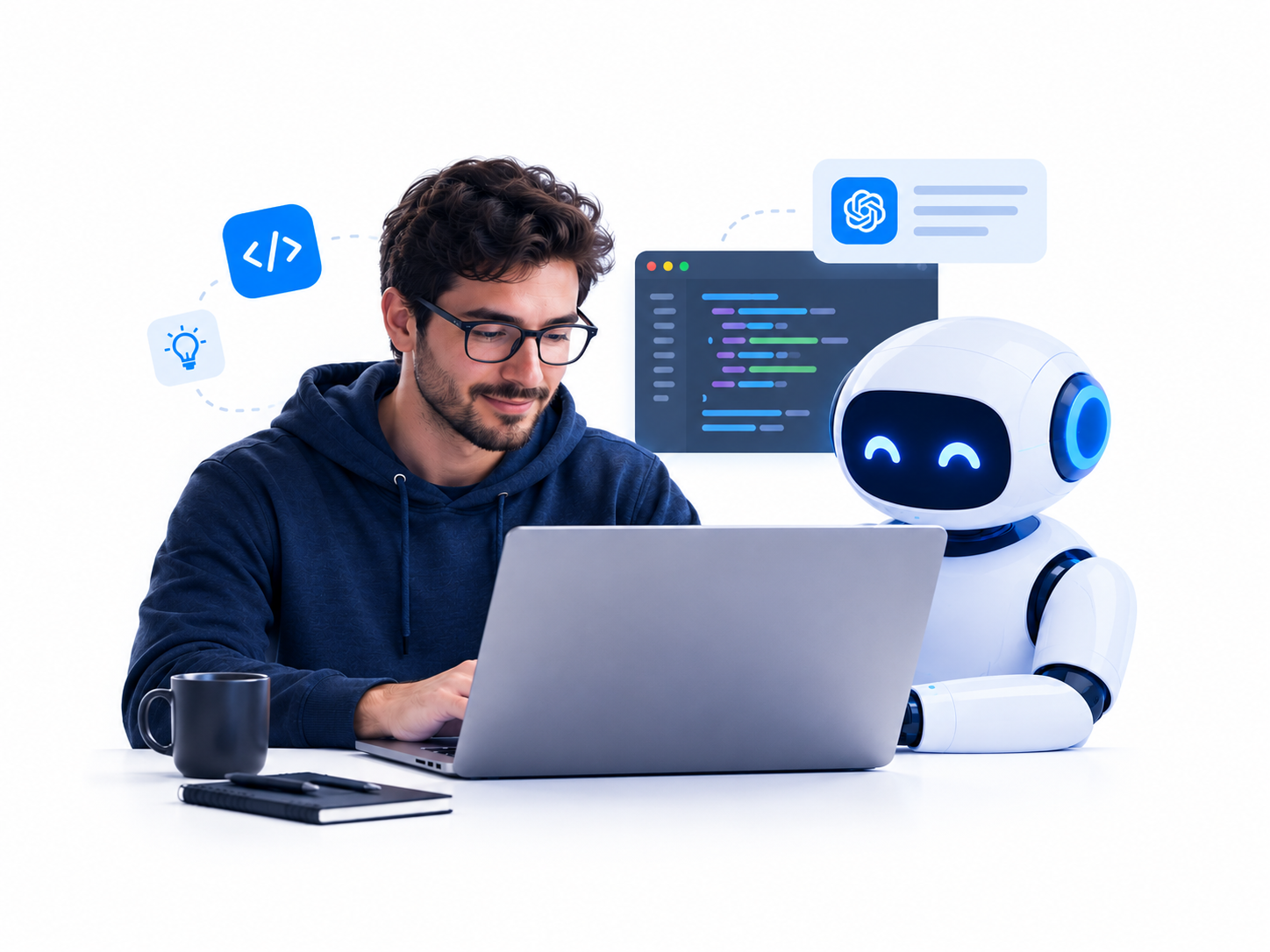
Artificial intelligence is changing the software development industry faster than many developers expected. AI coding assistants can generate functions, explain unfamiliar code, identify bugs, write tests, and help developers build applications in less time. Tools that once seemed experimental have become part of everyday development workflows.
But does this mean AI will replace software developers? Not necessarily. The more important question is how the developer’s role will evolve as AI becomes more capable. Understanding this shift can help developers, students, and technology professionals prepare for the future and make better career decisions.
Summary
AI is changing software development rather than making human developers obsolete. Developers who combine strong programming fundamentals, problem-solving skills, software architecture, security awareness, and effective use of AI tools will be better positioned for the future. Routine coding tasks will become increasingly automated, while human judgment, system design, testing, and accountability will remain essential.
Table of Contents
- How AI Is Changing Software Development
- Will AI Replace Software Developers?
- The Rise of AI-Assisted Programming
- How the Developer’s Role Will Evolve
- Which Programming Tasks Will AI Automate?
- The Skills Developers Will Need in the Future
- The Future of Junior Developers
- AI Agents and Autonomous Software Development
- The Impact of AI on Software Development Jobs
- How Developers Can Prepare for the AI Era
- The Challenges and Risks of AI-Generated Code
- Conclusion
- Frequently Asked Questions
1. How AI Is Changing Software Development
For many years, software development required programmers to write most application code manually. Developers researched solutions, designed functions, fixed bugs, wrote tests, and maintained documentation. Although libraries and frameworks reduced the amount of work required, building reliable software still demanded substantial technical knowledge.
AI is changing this process.
Modern AI coding assistants can interpret natural-language instructions and generate code that addresses specific requirements. They can also explain existing implementations, suggest improvements, and help developers understand unfamiliar technologies.
For example, a developer can ask an AI assistant to create a REST API endpoint, write unit tests, or investigate an error message. Instead of starting from scratch, the developer can review the generated solution, make corrections, and integrate it into the application.
AI adoption is already widespread
The 2025 Stack Overflow Developer Survey found that 84% of respondents were using or planning to use AI tools in their development process. However, adoption does not mean developers blindly trust these tools. The same survey found that 46% distrusted the accuracy of AI output, while 33% trusted it.
These findings highlight an important distinction: developers increasingly value AI assistance, but they still need to verify its results.
Source: Stack Overflow Developer Survey 2025.
What AI can do today
AI tools can assist with several common software development activities:
- Code generation: Produce functions, classes, scripts, and application components.
- Debugging: Suggest possible causes of errors and recommend fixes.
- Testing: Generate unit tests, integration tests, and test data.
- Documentation: Explain code and draft technical documentation.
- Code review: Identify potential problems and suggest improvements.
- Learning: Explain programming concepts and unfamiliar APIs.
- Refactoring: Help reorganize existing code while preserving its intended behavior.
These capabilities can reduce repetitive work and help developers explore solutions more quickly. However, the quality of the result depends on the task, the available context, the AI model, and the developer’s ability to evaluate the output.
2. Will AI Replace Software Developers?
The possibility of AI replacing programmers has become one of the biggest concerns in the technology industry. AI systems can already generate code, build simple applications, and automate tasks that previously required manual programming.
However, writing code is only one part of software development.
Professional developers must understand business requirements, choose suitable architectures, manage data, protect sensitive information, handle unexpected failures, and maintain applications over time. These responsibilities require more than generating syntactically correct code.
Tasks are easier to automate than entire jobs
Consider a company building an online payment platform. An AI assistant might generate a payment endpoint, write database queries, or suggest unit tests. But the engineering team must still determine how the system handles duplicate transactions, protects customer information, recovers from service failures, and complies with relevant requirements.
A solution that works in a demonstration may fail under real-world conditions.
Human developers remain responsible for determining whether the system meets its requirements and whether it is safe to deploy.
Which developers face the greatest pressure?
Developers whose work consists mainly of predictable, repetitive tasks may experience greater pressure from automation.
Examples include:
- Writing straightforward CRUD operations.
- Creating basic website layouts from familiar templates.
- Converting simple specifications into standard functions.
- Producing repetitive scripts and boilerplate code.
- Writing routine documentation.
This does not mean every job involving these activities will disappear. It means employers may expect developers to complete such work more efficiently or take on more complex responsibilities.
The likely outcome: a changing profession
AI will probably change the distribution of work within software engineering rather than eliminate the profession entirely.
Some teams may need fewer people for certain routine tasks. Other teams may use AI to develop products that would previously have been too expensive or time-consuming to build.
The exact employment impact will vary by industry, company, experience level, and the speed at which organizations adopt reliable AI workflows.
Developers should therefore prepare for change without assuming either that their jobs are guaranteed or that programming careers have no future.
3. The Rise of AI-Assisted Programming
AI-assisted programming combines human engineering knowledge with AI-generated suggestions and automation. Instead of treating AI as a replacement for the developer, this approach treats it as a tool that can accelerate parts of the development process.
Popular AI coding tools
Several tools support different stages of software development.
GitHub Copilot: Assists with code completion, explanations, test generation, and other programming tasks within supported development environments.
ChatGPT: Helps developers understand concepts, troubleshoot errors, design solutions, generate code, and compare technical approaches.
Cursor: Provides an AI-focused coding environment that helps developers work with existing codebases and modify multiple parts of a project.
Claude Code: Supports agentic coding workflows that can inspect repositories, edit files, and execute development tasks with appropriate permissions.
Windsurf: Offers an AI-assisted development environment for working with code and project context.
Tool capabilities, pricing, and integrations change over time, so developers should evaluate current features rather than commit to a tool based on popularity alone.
How AI changes the development workflow
A traditional workflow might involve searching documentation, writing code manually, running tests, and repeatedly investigating errors.
An AI-assisted workflow can shorten several of these steps:
- Define the problem and expected behavior.
- Ask an AI assistant to propose an implementation.
- Review the proposed design and code.
- Run automated tests and static analysis.
- Fix problems identified by the tests or code review.
- Check security, performance, and maintainability.
- Commit and deploy the verified changes through the team’s normal process.
The important point is that AI can accelerate implementation, but verification remains part of the job.
A practical example
Suppose a developer needs to create a Python function that validates an email address.
The developer can ask an AI assistant to generate an initial implementation:
import re

def is_valid_email(email: str) -> bool:
    """Perform a basic email-format check."""
    if not isinstance(email, str):
        return False

    pattern = r"^[^@\s]+@[^@\s]+\.[^@\s]+$"
    return bool(re.fullmatch(pattern, email))
The code checks a basic email format, but it does not prove that the address exists or can receive messages. It also does not replace a complete email-validation strategy for a production system.
A developer must understand the limitations, add suitable tests, and determine whether the implementation meets the application’s actual requirements.
This illustrates the central principle of AI-assisted programming: generating code is easy compared with proving that the code is correct for its intended purpose.
4. How the Developer’s Role Will Evolve
As AI automates more implementation tasks, developers will need to spend more time defining problems, reviewing solutions, and making technical decisions.
The developer’s value will increasingly depend on the quality of the system they deliver, rather than simply the amount of code they write.
From writing code to solving problems
Business requirements rarely arrive as complete technical specifications. Developers must identify missing details, question assumptions, and translate broad goals into workable designs.
For example, a customer might request a faster checkout process. The underlying problem could involve slow database queries, excessive network requests, inefficient frontend rendering, or an unreliable third-party service.
AI can suggest possible solutions, but developers must gather evidence and determine which change will address the actual problem.
From implementing features to designing systems
Software architecture becomes particularly important as AI generates larger portions of an application.
Developers need to understand:
- How application components communicate.
- How databases store and retrieve information.
- How authentication and authorization work.
- How systems handle failures and unexpected traffic.
- How applications scale across multiple services.
- How to monitor production systems and diagnose incidents.
AI can propose an architecture, but the engineering team must evaluate its suitability, cost, security, and long-term maintenance requirements.
From manual implementation to technical supervision
Developers may increasingly supervise AI systems that perform several connected tasks. This could include generating code, updating tests, reviewing dependencies, and preparing proposed changes.
The developer must still check whether the changes fit the existing codebase and satisfy the project’s requirements.
This makes technical judgment, review skills, and the ability to investigate unexpected behavior especially valuable.
5. Which Programming Tasks Will AI Automate?
AI automation will not affect every development activity equally. Predictable tasks with clear inputs and outputs are generally easier to automate than work involving uncertain requirements, complex trade-offs, or serious consequences if something goes wrong.
| Development task | Likely direction | Human responsibility |
|---|---|---|
| Boilerplate code | Increasing automation | Review generated implementation |
| Basic unit tests | Increasing automation | Check coverage and test quality |
| Documentation drafts | Increasing automation | Verify technical accuracy |
| Simple bug fixes | Partial to high automation | Confirm the root cause and fix |
| Routine refactoring | Partial automation | Preserve behavior and architecture |
| Complex debugging | AI-assisted | Investigate system behavior |
| Software architecture | AI-assisted | Make design decisions |
| Security engineering | AI-assisted | Validate risks and controls |
| Production incident response | AI-assisted | Assess impact and authorize actions |
| Product requirements | AI-assisted | Understand users and business needs |
These are directional expectations, not guarantees about how much of each task AI will automate.
Code generation will become less distinctive
When developers can generate similar code using widely available AI tools, simply producing code quickly may offer less competitive advantage.
The ability to recognize poor implementations, select the right solution, and deliver reliable software will matter more.
Testing and verification will become more important
AI-generated code can introduce subtle errors, insecure patterns, incorrect assumptions, or unnecessary complexity.
Developers must understand how to validate changes using unit tests, integration tests, end-to-end tests, static analysis, and code review.
The more code an AI system produces, the more important it becomes to maintain a reliable verification process.
6. The Skills Developers Will Need in the Future
The strongest developers will combine traditional software engineering fundamentals with AI literacy and the ability to work across technical boundaries.
6.1 Programming fundamentals
Developers should continue learning data structures, algorithms, control flow, error handling, object-oriented programming where appropriate, and common software design principles.
Understanding these fundamentals makes it easier to evaluate generated code and identify problems that may not appear immediately.
AI can help explain a concept, but developers must be able to apply it independently.
6.2 System design and architecture
System design involves selecting components and defining how they work together.
Developers should understand APIs, databases, caching, message queues, authentication, distributed systems, and failure handling.
They should also learn when a simple architecture is preferable to a complicated one. AI can generate sophisticated-looking solutions that introduce unnecessary maintenance costs.
6.3 AI literacy and prompt design
Developers need to understand how to give AI systems useful context, define constraints, request tests, and review proposed changes.
Good instructions should describe the problem, the expected behavior, the relevant technologies, and any restrictions.
For example, a useful development prompt might be:
Task: Add pagination to the existing REST API.

Requirements:
- Preserve the current response schema where possible.
- Validate page and page_size parameters.
- Set a maximum page size of 100.
- Use parameterized database queries.
- Add tests for invalid parameters and empty results.
- Do not introduce new dependencies without justification.

Before changing files, explain the proposed approach.
After implementation, run the relevant tests and report any failures.
This gives the AI clearer boundaries than a vague request such as “make the API better.”
However, good prompts cannot guarantee correct output. Developers still need to inspect the implementation and verify the results.
6.4 Security and secure coding
Security knowledge will remain essential as AI generates more application code.
Developers should understand input validation, authentication, authorization, SQL injection, cross-site scripting, secrets management, dependency security, and secure deployment practices.
AI-generated code must not automatically be considered safe. Developers should use established security testing methods and review sensitive changes carefully.
6.5 Testing and debugging
The ability to reproduce bugs, isolate their causes, and verify fixes will remain valuable.
Developers should learn how to write meaningful tests, interpret stack traces, inspect logs, use debuggers, and identify regressions.
They should also know when an AI-generated explanation does not match the available evidence.
6.6 Communication and collaboration
Software projects require people to discuss requirements, explain trade-offs, review changes, and coordinate releases.
Developers who communicate technical risks clearly can help teams make better decisions.
As code production becomes easier, explaining why a solution is appropriate may become as important as implementing it.
6.7 Continuous learning
AI tools, programming frameworks, and development practices evolve quickly. Developers should build a habit of learning through documentation, practical projects, code reviews, and experimentation.
The goal is not to learn every new tool. It is to develop the ability to evaluate new technologies and adopt those that provide genuine value.
7. The Future of Junior Developers
Junior developers may face a particularly difficult transition because many entry-level tasks involve work that AI can assist with, such as implementing straightforward features, writing basic tests, and fixing simple bugs.
This creates an important challenge: how can new developers gain the experience they need if AI performs some of the tasks traditionally used for learning?
The risk of learning without understanding
A beginner can use AI to create an application without understanding its underlying code.
The application might work initially, but the developer may struggle to troubleshoot errors, add new features, or explain the design during a technical interview.
This creates a gap between producing software and developing the skills required to maintain it.
How beginners should learn programming in the AI era
New developers should use AI as a tutor and reviewer rather than a substitute for learning.
A practical learning approach is to:
- Learn the fundamentals of one programming language.
- Build small applications without relying entirely on generated code.
- Use AI to explain unfamiliar concepts and compare possible solutions.
- Review every generated function and identify its assumptions.
- Write tests and deliberately investigate failure cases.
- Build projects that involve databases, APIs, authentication, and deployment.
- Learn Git, debugging, code review, and basic security practices.
For example, a beginner could build a task-management application, then gradually add user authentication, database persistence, API endpoints, automated tests, and deployment.
AI can accelerate this process, but the learner should be able to explain and modify every important component.
Will companies hire fewer junior developers?
Some organizations may reduce their need for entry-level developers who mainly perform routine implementation tasks. Others may continue hiring juniors and expect them to use AI tools effectively.
The long-term outcome remains uncertain.
For aspiring developers, the best response is to demonstrate practical competence. A portfolio containing well-tested, documented, deployed projects provides stronger evidence of ability than a collection of applications that the developer cannot explain.
8. AI Agents and Autonomous Software Development
AI coding assistants generally respond to requests or help with specific development tasks. AI agents take this further by combining a model with tools, context, and a workflow that allows it to perform multiple steps toward a goal.
Depending on the system and its permissions, an agent may inspect a repository, edit files, run tests, examine failures, and propose additional changes.
How an AI coding agent works
A simplified workflow looks like this:
- The developer describes a task.
- The agent inspects relevant project files.
- It develops an implementation plan.
- It edits code and runs permitted tools.
- It examines test results and attempts corrections.
- It presents the changes for human review.
This approach can help automate work that spans several files or requires repeated tool use.
However, agents can misunderstand requirements, introduce regressions, or repeat unsuccessful actions. Access to terminals, repositories, credentials, and production systems also introduces security risks.
Will AI agents build entire applications?
AI agents can already help create working prototypes and implement substantial features. Over time, they may handle more connected development tasks with less direct intervention.
But a working prototype is not the same as a production-ready application.
Production software needs appropriate access controls, reliable data handling, observability, performance testing, disaster recovery, and ongoing maintenance. The level of human oversight required depends on the complexity and risk of the application.
Developers who learn to orchestrate, test, and supervise AI agents will be better prepared for increasingly automated workflows.
9. The Impact of AI on Software Development Jobs
AI’s effect on employment will depend on more than its ability to generate code. Business demand, development costs, organizational decisions, and the availability of skilled workers will also influence hiring.
Software development may become more accessible
AI can lower the technical barrier to building simple applications. Entrepreneurs, small businesses, and professionals outside traditional software engineering can use AI-assisted tools to create prototypes and automate internal workflows.
This may increase the number of software products being developed.
If building software becomes less expensive, some organizations may invest in projects they previously considered too costly. That could create new work even as automation reduces the effort required for individual tasks.
However, greater demand does not guarantee that every displaced role will return or that all developers will benefit equally.
Some roles will change more than others
Frontend developers may use AI to generate components and layouts. Backend developers may automate API implementations and database operations. DevOps engineers may use AI to analyze logs and prepare infrastructure changes. Security engineers may use AI to assist with code analysis and vulnerability investigation.
Across these roles, domain knowledge and the ability to validate results will remain important.
Developers who understand the full lifecycle of a system may also find opportunities to take on broader responsibilities.
AI could increase expectations for productivity
Companies may expect developers to deliver more features, tests, and documentation within the same period.
That can create opportunities, but it can also increase pressure if management measures productivity by the volume of generated code rather than software quality.
Teams should evaluate outcomes such as reliability, defect rates, maintainability, delivery time, and customer value.
More code does not automatically mean better software.
New specializations may emerge
As organizations adopt AI-driven workflows, opportunities may grow in areas such as:
- AI application development and integration.
- AI infrastructure and deployment.
- AI agent engineering and orchestration.
- Automated testing and evaluation.
- AI security and risk management.
- Data engineering and retrieval systems.
- AI governance and software quality assurance.
These areas require different combinations of skills. Developers should select a specialization based on their interests, existing strengths, and the needs of their target industry.
10. How Developers Can Prepare for the AI Era
Developers do not need to abandon their existing skills or learn every AI framework. They need a practical plan for combining strong engineering fundamentals with effective AI use.
Step 1: Strengthen your core technical knowledge
Choose a primary programming language and learn it properly. Understand its type system, standard library, error handling, testing tools, and common design patterns.
You should be able to read and debug code without relying on an AI assistant for every decision.
Step 2: Integrate AI into your workflow
Experiment with AI coding assistants on tasks such as generating tests, explaining unfamiliar code, drafting documentation, and proposing refactoring changes.
Compare the results with your own approach. Track where AI saves time and where it creates extra debugging work.
Step 3: Build complete projects
Create projects that solve realistic problems rather than focusing only on isolated coding exercises.
A complete project might include:
- A frontend and backend.
- A relational or document database.
- Authentication and authorization.
- Automated tests.
- Containerization and deployment.
- Logging and error handling.
- A clear README and setup instructions.
Use AI where appropriate, but make sure you can explain the design and maintain the application.
Step 4: Learn testing and code review
Practice checking AI-generated changes for correctness, security, readability, and performance.
Use automated tests and static analysis, but do not assume that a passing test suite proves the absence of bugs. Tests only provide evidence about the behaviors they cover.
Step 5: Learn one area beyond application coding
Developers can strengthen their position by gaining knowledge in an adjacent area, such as cloud infrastructure, cybersecurity, databases, distributed systems, or machine learning.
This broader understanding helps developers make better technical decisions and investigate problems that cross system boundaries.
Step 6: Develop measurable evidence of your skills
Maintain a portfolio with source code, tests, documentation, and clear explanations of your decisions.
Explain the problems you encountered, how you investigated them, which AI tools you used, and how you verified the final result.
This demonstrates engineering ability rather than simply showing that an AI tool can generate an application.
11. The Challenges and Risks of AI-Generated Code
AI can speed up development, but using it without appropriate controls can introduce new problems.
Incorrect code and hidden bugs
AI systems can produce code that looks convincing but does not meet the requirements.
They may misunderstand an API, use outdated patterns, overlook edge cases, or generate an implementation that fails under unusual conditions.
Developers should verify important assumptions against reliable documentation and tests.
Security vulnerabilities
Generated code may contain unsafe input handling, weak authorization checks, exposed secrets, or vulnerable dependencies.
Sensitive code should receive appropriate security review, and organizations should restrict AI tools’ access to confidential information according to their policies.
Overdependence on AI
Developers who accept generated solutions without understanding them may lose the ability to debug complex problems independently.
They may also introduce unnecessary dependencies or accept designs that are difficult to maintain.
A good rule is simple: never approve code that you cannot reasonably explain or verify.
Privacy and intellectual property
Developers should understand how their chosen AI tools handle submitted code, prompts, logs, and other information.
Organizations may have restrictions on sending proprietary source code or customer data to external services. Teams should follow their data-handling policies and review the licensing implications of code they adopt.
Technical debt at greater speed
AI can generate large amounts of code quickly, including unnecessary abstractions and duplicated logic.
If teams prioritize rapid implementation without reviewing architecture and maintainability, they can accumulate technical debt faster.
AI-assisted development therefore requires disciplined code review, automated testing, clear ownership, and ongoing maintenance.
Conclusion
The future of software developers in the age of AI will be shaped by a combination of automation, new development practices, and changing business needs.
AI tools can generate code, assist with debugging, automate tests, and help developers complete repetitive work more quickly. AI agents may also take responsibility for increasingly complex sequences of development tasks.
However, reliable software requires more than code generation. Developers must understand requirements, design systems, validate results, protect data, and maintain applications throughout their lifecycles.
For beginners, the priority should be building strong programming fundamentals and using AI to accelerate learning without skipping the difficult parts. Experienced developers should focus on architecture, security, testing, technical leadership, and effective AI-assisted workflows.
The most useful strategy is not to compete with AI at producing code. It is to become a developer who knows how to use AI effectively, recognize its limitations, and turn its output into reliable software.
Frequently Asked Questions
1. Will AI replace software developers in the future?
AI will automate many programming tasks, but it is unlikely to eliminate the need for human software engineering across all industries. Developers will continue to be needed for system design, complex debugging, security, requirements analysis, and accountability. The number and type of jobs may change as organizations adopt AI.
2. Is software development still a good career choice in 2026?
Software development can still be a valuable career, particularly for people who enjoy solving problems and learning new technologies. However, aspiring developers should expect changing expectations and stronger competition for some entry-level roles. Learning programming fundamentals, using AI responsibly, and building practical projects can improve career readiness.
3. Should beginners learn programming if AI can generate code?
Yes. Understanding programming helps beginners evaluate AI output, troubleshoot errors, design reliable systems, and maintain applications. AI can make learning faster, but relying on generated code without understanding it creates significant limitations.
4. Which programming languages will remain useful in the AI era?
Python remains useful for AI, automation, data processing, and backend development. JavaScript and TypeScript remain important for web applications, while Java, C#, Go, Rust, C, and C++ serve important roles across enterprise systems, cloud infrastructure, and performance-sensitive software.
No single language guarantees future employment. The best choice depends on the applications you want to build and the skills required in your target field.
5. Will AI reduce demand for junior developers?
AI may reduce demand for some routine entry-level tasks, and some employers may change how they hire and train beginners. The long-term effect remains uncertain. Junior developers can strengthen their prospects by demonstrating problem-solving ability, testing skills, practical project experience, and a solid understanding of their code.
6. What skills should software developers learn to remain competitive?
Developers should prioritize programming fundamentals, system design, testing, debugging, secure coding, databases, version control, and AI-assisted development. Communication, requirements analysis, and the ability to evaluate technical trade-offs are also important.
7. Can AI build a complete application without a developer?
AI tools can create prototypes and implement substantial parts of an application. However, complex production systems still require careful validation, security controls, integration, deployment, monitoring, and maintenance. The amount of human involvement depends on the application’s complexity and risk.
8. What is the difference between AI-assisted coding and agentic coding?
AI-assisted coding typically involves a developer requesting suggestions, explanations, or code generation. Agentic coding allows an AI system to use tools and perform multiple connected actions, such as inspecting files, editing code, and running tests. Both approaches require suitable permissions and verification.
9. How can developers use AI without becoming dependent on it?
Developers should solve problems independently when practical, ask AI to explain its reasoning and assumptions, review generated code, and write tests. They should also practice debugging without AI assistance and learn to verify important claims against reliable sources.
10. What is the most important skill for software developers in the AI era?
There is no single skill that guarantees success. However, the ability to solve problems and exercise sound technical judgment is especially important. Developers need to determine what to build, evaluate AI-generated solutions, identify risks, and deliver software that meets real-world requirements.
Want more articles and tutorials like this?
Get new tutorials, security alerts, and IT tips straight to your inbox.
My experience shows that a developer’s specific skill set dictates how quickly adoption happens. In my area, manual coding still requires deep understanding that current tools cannot fully replicate.