Critical PHP Security Alert: Two Vulnerabilities Rated 9.2 Put Websites on High Alert
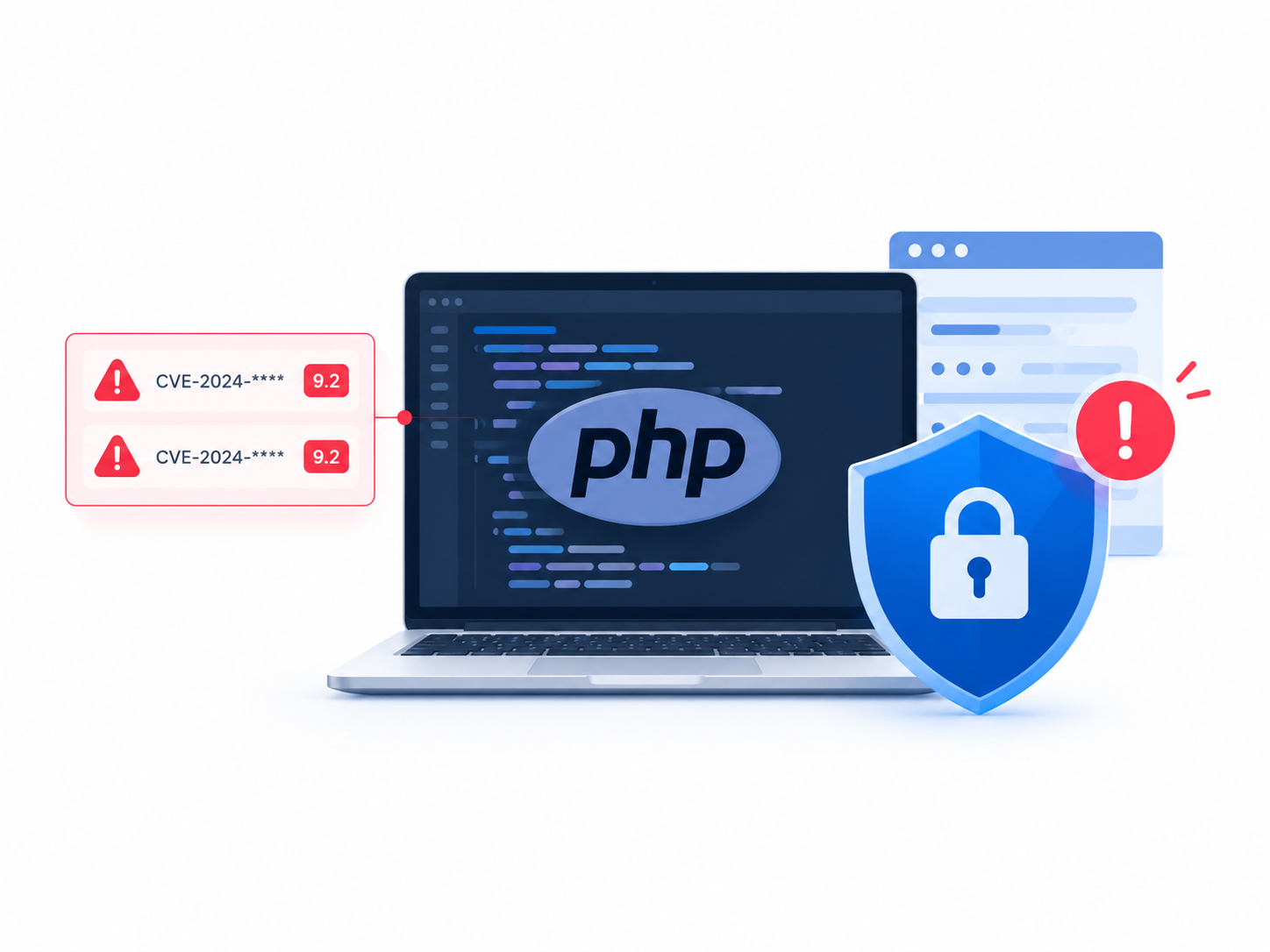
The PHP security team has announced an urgent security release scheduled for October 21, 2026, to address two critical vulnerabilities, each rated 9.2 on the CVSS v4.0 severity scale. The announcement has raised concerns among website owners, developers, and system administrators because PHP powers a large share of the web. Security researchers have described the reported flaws as potential remote code execution vulnerabilities. Administrators should prepare to identify affected systems and install the official fixes as soon as they become available.
Table of Contents
- What Happened?
- Why Are These PHP Vulnerabilities Dangerous?
- Which Websites Could Be Affected?
- Understanding the CVSS 9.2 Severity Rating
- How to Prepare Your PHP Server for the Security Update
- How to Check Your PHP Version
- What Should WordPress Administrators Do?
- What If You Cannot Install the Patch Immediately?
- Long-Term PHP Security Best Practices
- Conclusion
- Frequently Asked Questions
What Happened?
On October 20, 2026, the PHP security team published an advance warning about an upcoming security release. The team scheduled the release for Wednesday, October 21, at 14:00 UTC and urged PHP users to prepare for an immediate upgrade.
The announcement confirmed two critical vulnerabilities, each carrying a CVSS v4.0 score of 9.2. However, the initial notice did not disclose the technical details, affected versions, or fixed versions. The PHP team stated that it would publish this information alongside the security release. It also reserved the right to release the patches earlier if vulnerability details became public or evidence of exploitation emerged.
You can read the announcement directly on the official PHP website.
What do security researchers report?
Cybersecurity company watchTowr reported that the vulnerabilities were associated with remote code execution (RCE). This type of vulnerability can allow an attacker to execute code on a vulnerable system remotely.
Public reporting has also associated the flaws with the identifiers CVE-2026-109618 and CVE-2026-109619. Administrators should verify these identifiers, the affected branches, and the remediation instructions against the official advisory when the PHP team publishes its complete disclosure.
The distinction matters: a preliminary report can help security teams prepare, but it does not replace the vendor’s technical advisory.
Why Are These PHP Vulnerabilities Dangerous?
Remote code execution ranks among the most serious classes of software vulnerabilities because it can allow an attacker to make a vulnerable application execute instructions of their choosing.
The actual impact depends on the vulnerability’s technical details, the application’s configuration, and the permissions available to the PHP process.
1. Potential server compromise
If an attacker successfully exploits an RCE vulnerability, they may be able to execute malicious code with the privileges of the affected PHP process.
Depending on the environment, this could allow them to:
- Read sensitive application files and configuration data.
- Access database credentials stored in configuration files.
- Modify website content or install malicious scripts.
- Establish persistence on a compromised server.
- Attempt to access other applications or internal systems.
These are potential consequences of successful exploitation, not confirmation that every affected website is vulnerable to every outcome.
2. Possible data exposure
PHP applications often process user accounts, contact details, orders, and other sensitive information. An attacker who compromises an application may attempt to access this data or use stolen credentials to move further into the environment.
Organizations that process personal or payment information should assess the potential impact on confidentiality, integrity, and availability.
3. Website disruption
Attackers may also modify files, interfere with application functionality, or disrupt services. A compromised website can lose customer trust, experience downtime, and require significant recovery work.
4. Risk to shared hosting environments
Many hosting providers run PHP applications for multiple customers on shared infrastructure. Isolation controls determine whether a compromised application can affect other accounts.
A vulnerability does not automatically compromise every account on a shared server. Nevertheless, hosting providers should assess the risk across their PHP fleet and apply the relevant security fixes consistently.
Which Websites Could Be Affected?
PHP remains one of the most widely used server-side programming languages. W3Techs reported that PHP powered approximately 69.7% of websites whose server-side programming language it could identify in its October 13, 2026, statistics.
That widespread adoption makes PHP security updates particularly important.
Applications that use PHP include:
- WordPress websites and blogs.
- Drupal and Joomla content management systems.
- Magento-based online stores.
- Laravel and Symfony applications.
- Custom PHP websites and APIs.
- Internal business applications built with PHP.
However, PHP usage does not automatically mean that a website is vulnerable. The actual risk depends on whether the installed PHP branch and build contain the relevant flaws, along with the application’s exposure and configuration.
What about older PHP versions?
Older, unsupported PHP branches deserve particular attention. They may no longer receive official security fixes, which can leave known weaknesses unresolved.
The announcement’s initial wording does not provide a confirmed list of affected versions. Although preliminary reports have raised concerns about older PHP releases, administrators should not assume that every historical version will receive a patch.
PHP maintains official information about supported releases and security updates on its supported versions page.
If your server runs an unsupported branch, plan a migration to a supported release rather than relying on the possibility of a backported fix.
Understanding the CVSS 9.2 Severity Rating
The PHP security team assigned both vulnerabilities a score of 9.2 under CVSS version 4.0.
CVSS, or the Common Vulnerability Scoring System, helps security teams communicate the severity of software vulnerabilities using a standardized framework.
| CVSS score | Severity |
|---|---|
| 0.0 | None |
| 0.1–3.9 | Low |
| 4.0–6.9 | Medium |
| 7.0–8.9 | High |
| 9.0–10.0 | Critical |
A score of 9.2 falls within the critical category. It signals that organizations should treat the issue as a high-priority security concern.
However, a CVSS score alone does not establish whether attackers can exploit a particular deployment, whether authentication is required, or whether exploitation has occurred in the wild. Those questions require the vulnerability’s technical details and reliable threat intelligence.
For this incident, administrators should focus on three priorities: identifying potentially affected systems, preparing to patch, and monitoring credible reports of exploitation.
How to Prepare Your PHP Server for the Security Update
You do not need to wait for the patch to begin preparing your infrastructure. The following steps can help reduce delays once the official fixes become available.
Step 1: Identify every PHP environment
Start by identifying where your organization uses PHP. Do not limit the inventory to production web servers.
Check:
- Public-facing websites and APIs.
- Development and staging environments.
- Containers and virtual machines.
- Hosting control panels and managed hosting accounts.
- Background workers and scheduled PHP scripts.
- Servers that host several websites or customer accounts.
Keep a record of the PHP version, operating system, deployment method, application owner, and whether the service is publicly accessible.
Step 2: Check the installed PHP version
Run the following command on a Linux server:
php -vTo identify the command-line binary’s path, use:
command -v phpTo inspect the loaded PHP configuration file, run:
php --iniThese commands provide useful information about the CLI environment. However, a web server may use a different PHP version or configuration.
For example, Nginx may communicate with PHP-FPM, while Apache may use a different PHP integration. A command-line version check alone cannot prove that the website runs the same version.
For PHP-FPM environments, inspect the active service and available version-specific commands:
systemctl --type=service --state=running | grep -i phpOn Debian- or Ubuntu-based systems, you can also list installed PHP packages:
dpkg -l | grep -E 'php[0-9.]'On RHEL-based systems, Fedora, or compatible distributions, use:
rpm -qa | grep -i '^php'Package names and service names vary by distribution, so adjust these commands to match your server.
Step 3: Back up critical data and configuration
Before performing a production upgrade, verify that you can restore your application.
At minimum, review backups for:
- Application files and custom code.
- Databases.
- Web server and PHP-FPM configuration.
- PHP extension lists.
- Deployment and package-management settings.
A backup is only useful if you can restore it. If possible, test the recovery procedure in a separate environment.
Step 4: Prepare a staging environment
If you manage a production application, test the new PHP packages in staging before rolling them out broadly, unless an active threat requires emergency containment.
Check application compatibility, database connectivity, required extensions, scheduled jobs, and critical user workflows.
A security patch should not be delayed unnecessarily, but testing can help prevent avoidable service interruptions during deployment.
Step 5: Monitor the official security release
Use the PHP news archive and the official PHP downloads page to find the release announcement and appropriate packages.
Before updating, confirm:
- Which PHP branches are affected.
- Which versions contain the fixes.
- Whether your distribution provides a security backport.
- Whether your application requires any additional configuration changes.
Do not install an arbitrary development build or a package from an untrusted source just to obtain a newer version number.
Step 6: Apply the appropriate update
On systems that use distribution-managed PHP packages, the package manager is generally the safest way to obtain supported security fixes.
For Debian or Ubuntu, refresh the package metadata and review available upgrades:
sudo apt update
apt list --upgradable
After confirming that your configured repositories provide the relevant fix, install the appropriate PHP packages according to your distribution’s security advisory and maintenance procedure.
For RHEL-based systems, review available updates with:
sudo dnf check-updateThen apply the vendor’s documented security update process.
Important: These commands only check package availability; they do not guarantee that the relevant PHP security fix is available in your repositories. Confirm the fixed package version with your operating system vendor before treating the server as patched.
For containerized deployments, update the relevant image tag or digest, rebuild the image, test it, and redeploy the affected services. Updating PHP on the host does not automatically update PHP inside an existing container.
Step 7: Restart services when required
Some PHP deployment methods require a service restart or process reload before updated binaries take effect.
For a PHP-FPM installation, first identify the correct service:
systemctl list-units --type=service | grep -i phpAfter applying the update, restart the appropriate service using its actual name:
sudo systemctl restart php8.4-fpmThe service name above is an example. Replace it with the PHP-FPM service installed on your server, and follow your distribution’s instructions.
Restarting a service without installing the fixed package does not remediate the vulnerability.
Step 8: Verify the update
After patching, verify the installed package version and confirm that the web application uses the expected PHP runtime.
For example:
php -vThen review the package manager’s installed-version information and the vendor advisory. Test essential application functionality and inspect service logs for errors.
Where possible, verify the PHP-FPM or web-server runtime separately from the CLI version.
What Should WordPress Administrators Do?
WordPress deserves special attention because it relies on PHP and is widely deployed across the web.
Updating WordPress itself does not necessarily update the PHP runtime. The hosting environment and the website’s application files have separate update processes.
Check your hosting environment
Identify the PHP version used by the actual website. Managed hosting dashboards often display this information and provide controls for selecting a supported PHP branch.
If you manage your own server, inspect the PHP-FPM or web-server configuration.
Update the PHP runtime
Once the relevant security fix becomes available, ask your hosting provider whether the installed PHP branch has received the patch.
If you manage the server yourself, install the appropriate vendor-supported package and verify the running runtime.
Review plugins and themes
Keep WordPress core, plugins, and themes updated as well. Although updating them is not a substitute for fixing PHP, outdated extensions can introduce additional weaknesses.
Remove plugins and themes that you no longer use, and avoid downloading updates from unofficial sources.
Check logs and administrator accounts
Review web-server logs, PHP logs, and WordPress security alerts for unusual activity. Pay particular attention to unexpected file changes, suspicious administrator accounts, unfamiliar scheduled tasks, and unexplained outbound connections.
Do not assume that every unusual log entry indicates exploitation. Investigate suspicious activity in context.
What If You Cannot Install the Patch Immediately?
Some organizations cannot patch immediately because of compatibility problems, maintenance windows, or dependencies on older applications.
In that situation, prioritize reducing exposure while preparing a remediation plan.
Restrict public access where possible
If the application does not need to be publicly accessible, consider temporarily limiting access through a firewall, VPN, IP allowlist, or other access-control mechanism.
For a business-critical service, assess the operational consequences before changing access rules.
Use network-level protections as a temporary measure
A web application firewall (WAF) or reverse proxy may help block suspicious requests if a reliable mitigation rule becomes available.
However, these controls cannot guarantee protection against an unknown or insufficiently understood vulnerability. Do not treat a WAF as a replacement for the vendor’s security fix.
Isolate high-risk systems
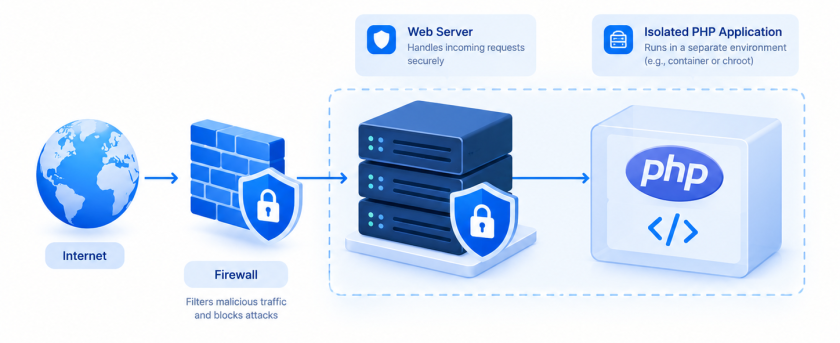
If a vulnerable service is exposed to the internet and you cannot patch it promptly, consider isolating it from public access until remediation is possible. CERT-EU has recommended preparing for immediate patching and considering isolation when organizations cannot apply the fixes.
Increase monitoring
Monitor access logs, authentication events, file integrity, process activity, and unexpected outbound network connections. Preserve relevant logs if you suspect exploitation so that investigators can reconstruct what happened.
If you identify evidence of a compromise, follow your incident-response process. Simply installing the patch may not remove malicious files, unauthorized accounts, or persistence mechanisms already introduced by an attacker.
Long-Term PHP Security Best Practices
This incident is also a useful reminder to improve PHP maintenance beyond a single emergency update.
Maintain supported PHP versions
Use a PHP branch that receives security fixes and plan upgrades before support ends. Keeping an application on an unsupported version can turn a future security advisory into a migration emergency.
Automate asset inventory
Maintain a reliable inventory of PHP runtimes across servers, containers, and hosting accounts. Automated configuration management and vulnerability scanning can help identify systems that need attention.
Separate application privileges
Run PHP applications with only the permissions they need. Avoid granting the web-server process unnecessary administrative privileges, and restrict access to sensitive files and internal services.
Protect secrets
Store database passwords, API keys, and other credentials securely. Limit who can access them, avoid committing secrets to source control, and rotate credentials when exposure is suspected.
Test backups and incident response
Prepare a documented recovery process and test it regularly. Define who approves emergency changes, who monitors security advisories, and who communicates with customers if an incident affects their data or service.
Establish a patch-management process
A practical patch-management workflow should include:
- Monitoring vendor security announcements.
- Identifying affected assets.
- Assessing exposure and business impact.
- Testing updates where feasible.
- Deploying fixes according to risk.
- Verifying the deployed version.
- Recording the change and closing the remediation task.
This process helps organizations respond consistently rather than relying on last-minute manual checks.
Conclusion
The upcoming PHP security release highlights the importance of maintaining secure, supported server-side software. Two vulnerabilities rated CVSS 9.2 warrant urgent attention, particularly for organizations that operate public-facing PHP applications.
Website owners and system administrators should inventory their PHP deployments, prepare backups, monitor the official advisory, and identify the correct security packages. Once the fixes become available, they should patch affected systems promptly and verify that the running web application uses the updated runtime.
If immediate patching is not possible, reduce public exposure, apply reliable temporary protections, and prepare a clear remediation plan. Most importantly, treat the incident as a reason to strengthen ongoing vulnerability management rather than as a one-time maintenance task.
Frequently Asked Questions
1. What are the new PHP vulnerabilities?
The PHP security team announced two critical vulnerabilities scheduled for a security release on October 21, 2026. Each received a CVSS v4.0 score of 9.2. Public reports describe the flaws as potential remote code execution vulnerabilities, but administrators should consult the official disclosure for confirmed technical details.
2. What does a CVSS score of 9.2 mean?
A CVSS score of 9.2 falls within the critical severity range. It signals a serious security concern, but it does not by itself establish whether a particular system is exploitable or whether attackers have compromised it.
3. Which PHP versions are affected?
The initial PHP announcement did not list affected versions. Check the official PHP security release and your operating system vendor’s advisory for the confirmed affected and fixed versions. Do not assume that every PHP version will receive a security patch.
4. Can these vulnerabilities affect WordPress websites?
Potentially, yes. WordPress uses PHP, so a WordPress website running an affected PHP runtime may face risk. Updating WordPress core alone does not necessarily patch PHP; administrators must also verify and update the server-side runtime.
5. How can I check my PHP version?
Run php -v in your terminal. Remember that this reports the command-line PHP version, which may differ from the version used by your website through PHP-FPM or another web-server integration.
6. Has active exploitation been confirmed?
Public reports have differed on the status of exploitation. Check current advisories from PHP, trusted security researchers, and relevant national cybersecurity agencies before making a definitive assessment. Regardless of the current exploitation status, prepare to apply the official fix promptly.
7. What should I do if my hosting provider has not released a patch?
Contact the provider and ask which PHP branch your website uses, whether the relevant security fix is available, and when the provider plans to deploy it. If you manage your own server, check the operating system vendor’s security advisory. Consider restricting public access to a vulnerable service if you cannot remediate it promptly.
8. Will restarting PHP fix the vulnerability?
No. Restarting PHP does not install a security fix. You must install the appropriate patched package or deploy an updated runtime, then restart or reload the relevant service if required.
9. Is a web application firewall enough to protect my website?
Not necessarily. A WAF may reduce risk when an effective mitigation rule exists, but it cannot guarantee protection against every exploitation method. Use it as an additional control while arranging the official security update.
10. Where can I find the official PHP security update?
Start with the PHP news archive and the PHP downloads page. If your system uses distribution-managed packages, also consult your Linux vendor’s security advisory.
Want more articles and tutorials like this?
Get new tutorials, security alerts, and IT tips straight to your inbox.
My previous site had a different issue with that software. I experienced a total system failure after updating the core files.